See, control and automate all your Android phones from one desktop
BenchFleet shows every connected phone live, lets you take over any of them with mouse and keyboard, and repeats the routine work for you with workflows and schedules — on your own computer.
Free for up to 3 phones, with no account. Pro from £12 a month.
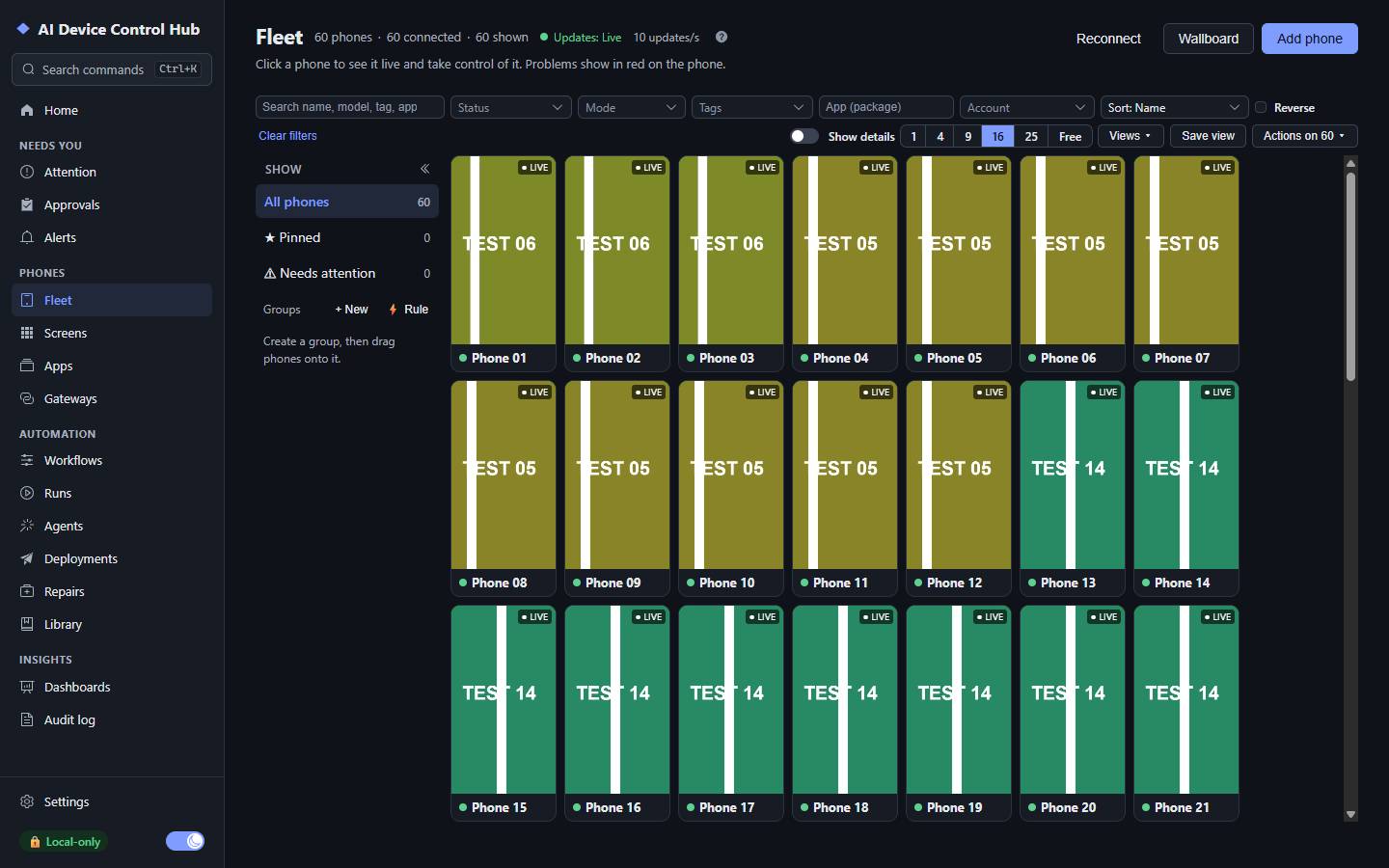
The Fleet page with 60 phones. Shown with simulated phones (test pattern).
Who it is for
Made for people who look after many phones
App testing and QA
Run the same check on many phones at once, record a test by doing it once, and replay a failed run step by step with its screenshots.
Device labs and support desks
See battery, temperature, storage and connection of every phone at a glance, take over any phone in one click, and install an app on a whole group.
Teams that run Android devices
One Hub for several people with roles, scoped permissions and approvals, and phones attached to several computers through gateways.
See
Every phone, live, on one screen
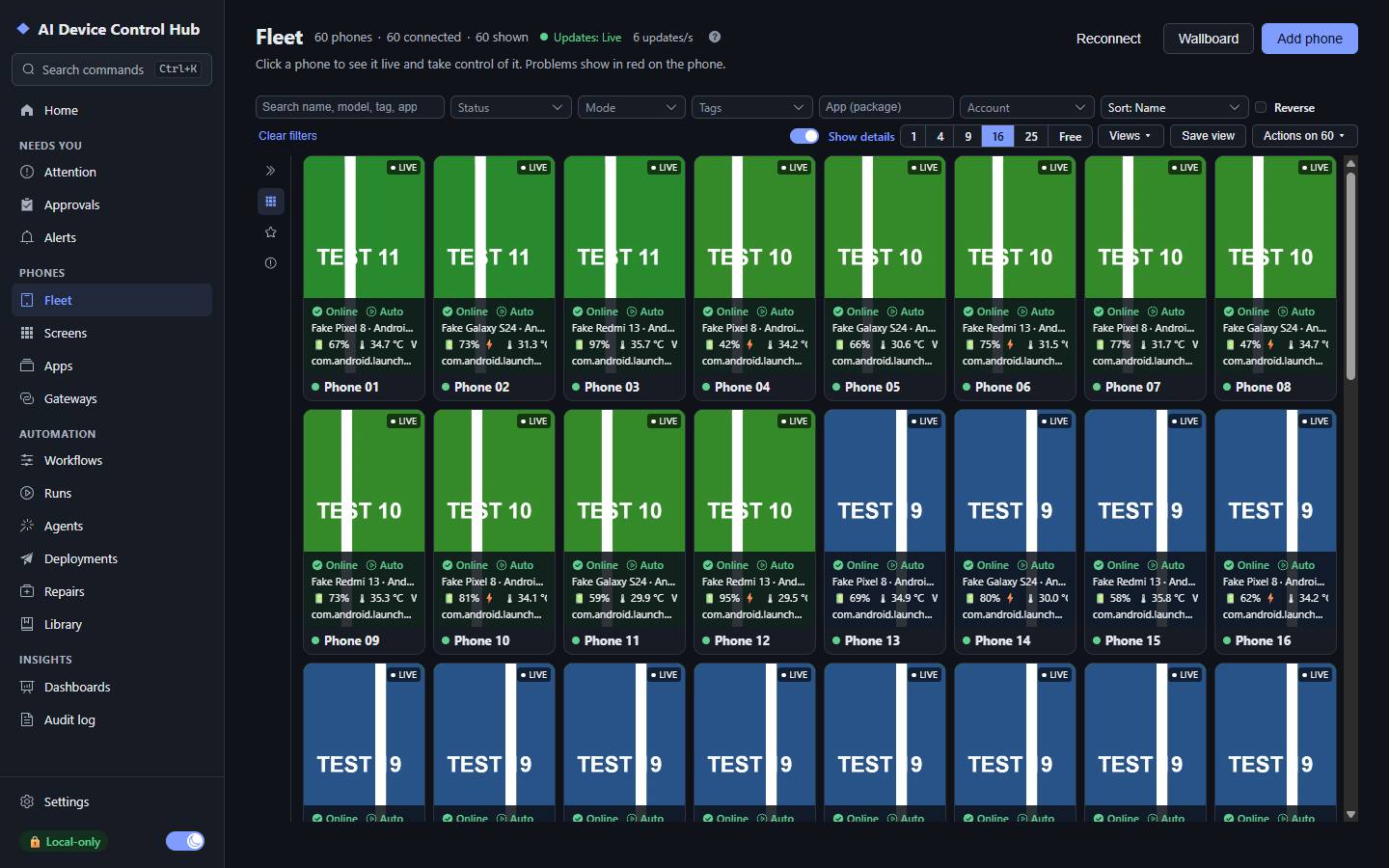
Each phone is a tile with its screen, its state and anything that needs you. The phones you look at stream live; the rest refresh as pictures, so a large fleet stays fast.
Status, mode, battery and temperature on every tile
Problems in red, with what to do next
Groups, pins, filters, saved views and a wallboard
The Fleet page with details on. Shown with simulated phones (test pattern).
Control
Take over any phone in one click
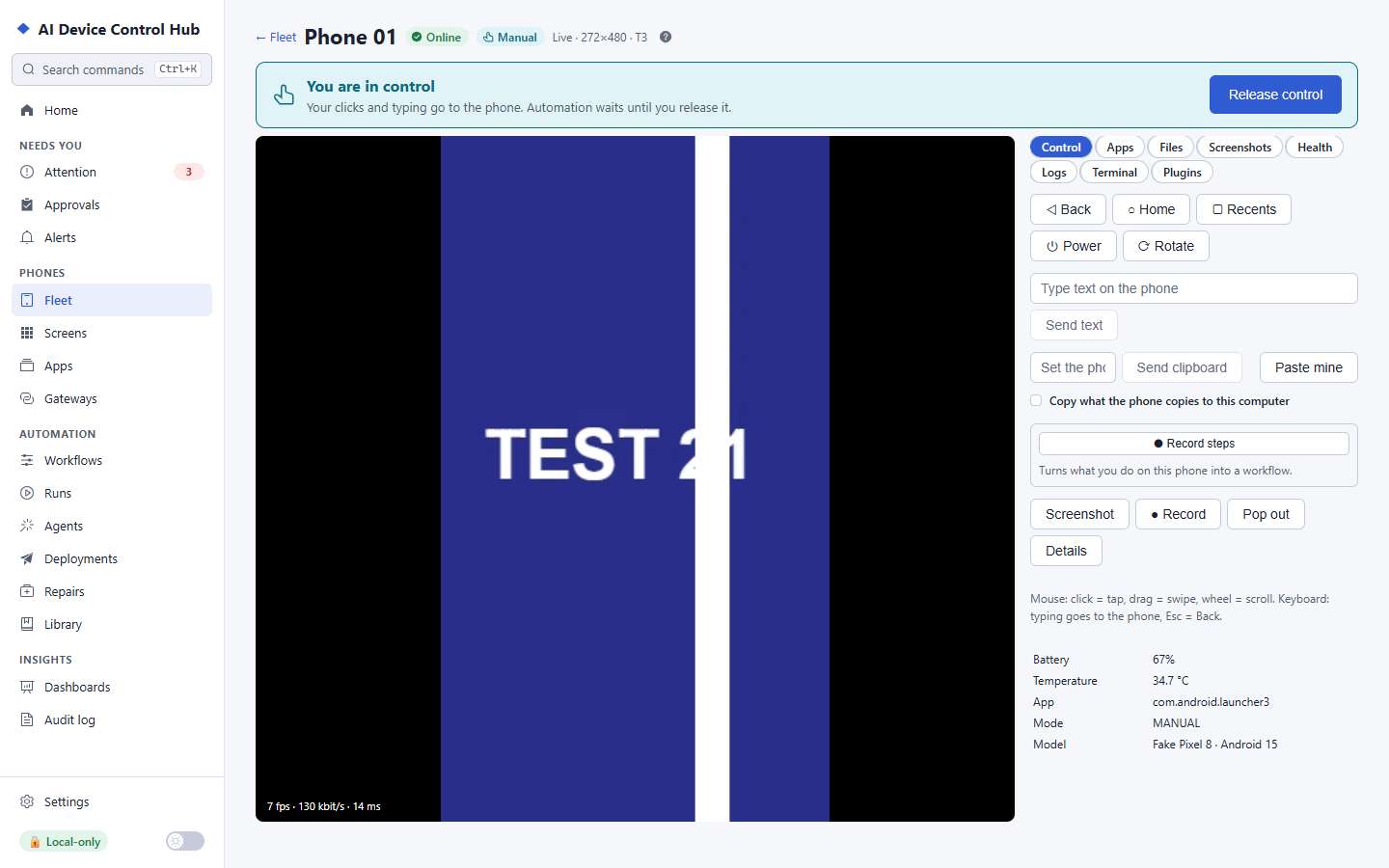
Click a phone to work on it with your mouse and keyboard. Copy and paste, move files, install apps, read the logs or open a terminal — all from the same page.
Clear "You are in control" and one-click release
Files, apps, logcat, clipboard and terminal
Automation never touches a phone you are using
A phone, taken over. Shown with simulated phones (test pattern).
Automate
Do it once, then let the Hub repeat it
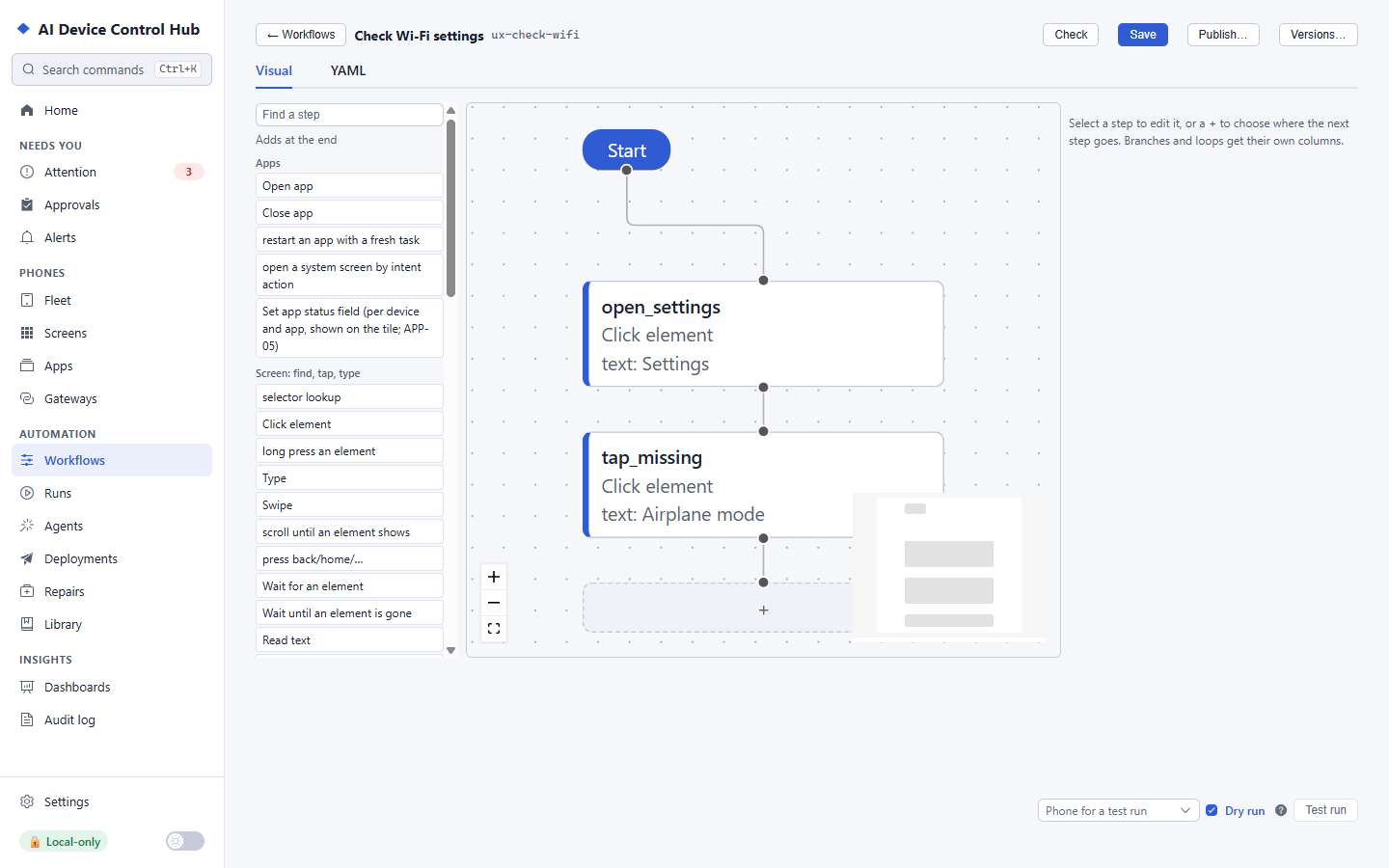
Build a workflow in the visual editor or record one by doing the task on a phone. Run it on one phone or a hundred, on a schedule, as a dry run first, and replay any run step by step.
Visual builder, recorder and YAML
Schedules, retries, guards and approvals
Roll out new versions to a few phones first
The workflow editor. Shown with simulated phones (test pattern).
AI, on your terms
AI that works through the same safety checks
Give an AI task a goal, or let AI tools such as Claude Code or Codex use your phones over MCP. They use the same checks as you do: only the apps you allow, a person approves payments and account changes, and they stop at CAPTCHAs and other human-only checks.
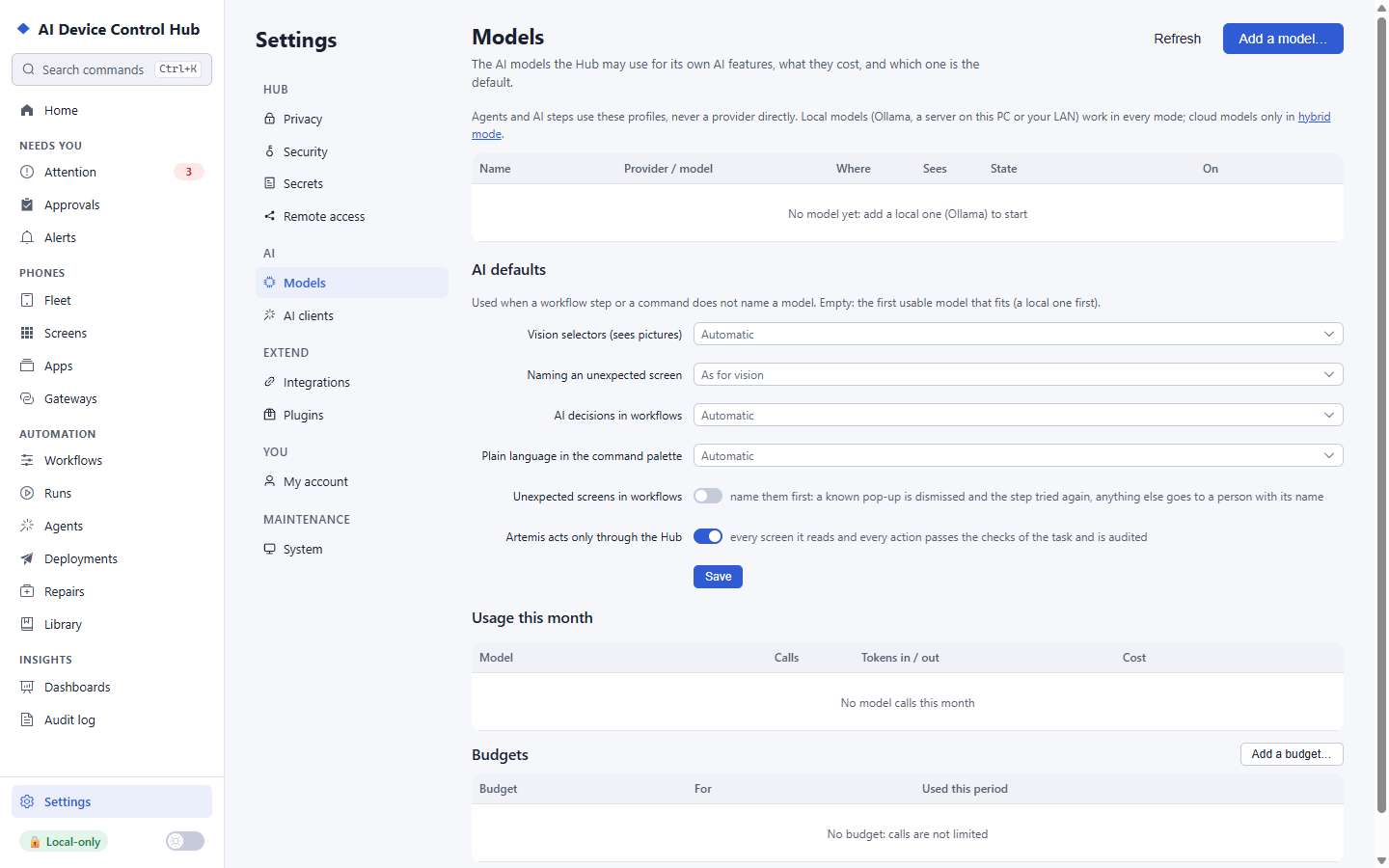
Your own model key, or a model on your computer
Per-model budgets cap the spend
Every step in a transcript you can read
Models: your own models, which one each AI feature uses, and budgets. Shown with simulated phones (test pattern).
Your phones, your data
Built to be trusted with real devices
Local by default
The Hub runs on your computer and starts in local-only mode: nothing leaves it unless you turn something on, and the Privacy page shows what would.
Everything audited
Every action on a phone is recorded with who did it. The log is hash-chained, so you can check it was not changed.
People stay in charge
Approvals for sensitive steps, encrypted secrets that are typed on the phone but never shown, and a stop at human-only checks.